- Videos by Gurus:
- Sri Guru Granth Sahib
- ਜੋ ਹਮ ਕੋ ਪਰਮੇਸਰ ਉਚਰਿ ਹੈ
Jo Hum Ko Parmesar Uchar Hai - ਨਾਨਕ ਰੁੰਨਾ ਬਾਬਾ ਜਾਣੀਐ ਜੇ ਰੋਵੈ ਲਾਇ ਪਿਆਰੋ
Nanak Runna Baba Janiye Je Rovey Laye Pyaro - ਗੁਰੂ ਗ੍ਰੰਥ ਤੇ ਘੋਲ ਘੁਮਾਇਆ ਅਪਣਾ ਜੀਵਨ ਸਾਰਾ
Guru Granth Te Ghol Ghumaya Apna Jeewan Saara - ਵਿਚਿ ਬਾਣੀ ਅੰਮ੍ਰਿਤੁ ਸਾਰੇ
Vich Bani Amrit Sare - ੪੦੦ ਸਾਲ ਹੋਏ ਸਾਡਾ ਚੰਦ ਚੜ੍ਹਿਆ
400 Saal Hoye Sada Chand Chadeya - ਸਤਿਗੁਰ ਪਿਆਰੇ ਅਰਜੁਨ ਨੇ ਇਕ ਨਵਾਂ ਜਹਾਜ ਬਣਾਇਆ ਏ
Satgur Pyare Arjan Ne Ek Nava Jahaj Banaya Hai
- ਜੋ ਹਮ ਕੋ ਪਰਮੇਸਰ ਉਚਰਿ ਹੈ
- Guru Nanak Dev Ji
- ਵਾਹੁ ਵਾਹੁ ਸਤਿਗੁਰੁ ਨਿਰੰਕਾਰੁ ਹੈ ਜਿਸੁ ਅੰਤੁ ਨ ਪਾਰਾਵਾਰੁ
Waho Waho Satgur Nirankar Hai - ਨੀਚ ਤੇ ਨੀਚੁ ਅਤਿ ਨੀਚੁ ਹੋਇ ਕਰਿ ਬਿਨਉ ਬੁਲਾਵਉ
Neech Te Neech Att Neech Hoye - ਸਤਿਗੁਰ ਨਾਨਕ ਪ੍ਰਗਟਿਆ, ਮਿਟੀ ਧੁੰਧ ਜਗ ਚਾਨਣੁ ਹੋਆ
Satguru Nanak Pargateya Miti Dhund Jag Chanan Hoya - Dhan Guru Nanak Tuhi Nirankar - 2
- ਏਕ ਨਦਰਿ ਕਰਿ ਵੇਖੈ ਸਭ ਊਪਰਿ ਜੇਹਾ ਭਾਉ ਤੇਹਾ ਫਲੁ ਪਾਈਐ
Ek Nadar Kar Dekhe Sab Upar - ਨਾਨਕੁ ਨੀਚੁ ਭਿਖਿਆ ਦਰਿ ਜਾਚੈ ਮੈ ਦੀਜੈ ਨਾਮੁ ਵਡਾਈ ਹੇ
Nanak Neech Bhikhya Dar Jachai Main Deejai Naam Vadai Hey - ਏਕੰਕਾਰੁ ਸਤਿਗੁਰ ਤੇ ਪਾਈਐ ਹਉ ਬਲਿ ਬਲਿ ਗੁਰ ਦਰਸਾਇਣਾ
Ek Onkar Satgur Te Paiyai, Hau Bal Bal Gur Darsayena - ਆਰਤਾ ਬਾਬਾ ਸ੍ਰੀ ਚੰਦ ਜੀ
Aarta - Baba Sri Chand Ji - ਭਇਆ ਅਨੰਦ ਜਗਤੁ ਵਿਚ ਕਲਿ ਤਾਰਨ ਗੁਰ ਨਾਨਕ ਆਇਆ
Bhaya Anand Jagat Vich Kal Taran Guru Nanak Aaya
- ਵਾਹੁ ਵਾਹੁ ਸਤਿਗੁਰੁ ਨਿਰੰਕਾਰੁ ਹੈ ਜਿਸੁ ਅੰਤੁ ਨ ਪਾਰਾਵਾਰੁ
- Guru Gobind Singh Ji
- ਜੋ ਹਮ ਕੋ ਪਰਮੇਸਰ ਉਚਰਿ ਹੈ
Jo Hum Ko Parmesar Uchar Hai - ਨਾਨਕ ਰੁੰਨਾ ਬਾਬਾ ਜਾਣੀਐ ਜੇ ਰੋਵੈ ਲਾਇ ਪਿਆਰੋ
Nanak Runna Baba Janiye Je Rovey Laye Pyaro - ਰੂਹ ਦਰ ਹਰ ਜਿਸਮ ਗੁਰੁ ਗੋਬਿੰਦ ਸਿੰਘ
Rooh Dar Har Jisam Guru Gobind Singh - ਤਵ ਚਰਨਨ ਮਨ ਰਹੇ ਹਮਾਰਾ
Tav Charnan Man Rahe Hamara - ਹਮ ਬਾਰਿਕ ਤੁਮ ਪਿਤਾ ਹਮਾਰੇ ਤੁਮ ਮੁਖਿ ਦੇਵਹੁ ਖੀਰਾ
Hum Barik Tum Pita Hamare, Tum Mukh Devo Kheera - ੩੦੦ ਸਾਲ ਹੋਏ ਸਰਬੰਸ ਦੇ ਫੁੱਲਾਂ ਦੀ ਸੇਜ ਤੇ ਗੁਰੂ ਗ੍ਰੰਥ ਦਾ ਆਸਨ ਲਾਇਆ ਏ
300 Saal Hoye Sarbans De Phulan Di Sej Te Guru Granth Da Aasan Laya Hai - ਹੇ ਰਵਿ ਹੇ ਸਸਿ ਹੇ ਕਰੁਣਾਨਿਧਿ ਮੇਰੀ ਅਬੈ ਬਿਨਤੀ ਸੁਨ ਲੀਜੈ
Hey Rav Hey Sas Hey Karunanidh - ਏਕੰਕਾਰੁ ਸਤਿਗੁਰ ਤੇ ਪਾਈਐ ਹਉ ਬਲਿ ਬਲਿ ਗੁਰ ਦਰਸਾਇਣਾ
Ek Onkar Satgur Te Paiyai, Hau Bal Bal Gur Darsayena
- ਜੋ ਹਮ ਕੋ ਪਰਮੇਸਰ ਉਚਰਿ ਹੈ
- Guru Granth Sahib
- ਨੀਚ ਤੇ ਨੀਚੁ ਅਤਿ ਨੀਚੁ ਹੋਇ ਕਰਿ ਬਿਨਉ ਬੁਲਾਵਉ
Neech Te Neech Att Neech Hoye - ਹਮ ਬਾਰਿਕ ਤੁਮ ਪਿਤਾ ਹਮਾਰੇ ਤੁਮ ਮੁਖਿ ਦੇਵਹੁ ਖੀਰਾ
Hum Barik Tum Pita Hamare, Tum Mukh Devo Kheera - ਗੁਰੂ ਗ੍ਰੰਥ ਤੇ ਘੋਲ ਘੁਮਾਇਆ ਅਪਣਾ ਜੀਵਨ ਸਾਰਾ
Guru Granth Te Ghol Ghumaya Apna Jeewan Saara - ੩੦੦ ਸਾਲ ਹੋਏ ਸਰਬੰਸ ਦੇ ਫੁੱਲਾਂ ਦੀ ਸੇਜ ਤੇ ਗੁਰੂ ਗ੍ਰੰਥ ਦਾ ਆਸਨ ਲਾਇਆ ਏ
300 Saal Hoye Sarbans De Phulan Di Sej Te Guru Granth Da Aasan Laya Hai - ਵਿਚਿ ਬਾਣੀ ਅੰਮ੍ਰਿਤੁ ਸਾਰੇ
Vich Bani Amrit Sare - ਏਕ ਨਦਰਿ ਕਰਿ ਵੇਖੈ ਸਭ ਊਪਰਿ ਜੇਹਾ ਭਾਉ ਤੇਹਾ ਫਲੁ ਪਾਈਐ
Ek Nadar Kar Dekhe Sab Upar - ੪੦੦ ਸਾਲ ਹੋਏ ਸਾਡਾ ਚੰਦ ਚੜ੍ਹਿਆ
400 Saal Hoye Sada Chand Chadeya - ਸਤਿਗੁਰ ਪਿਆਰੇ ਅਰਜੁਨ ਨੇ ਇਕ ਨਵਾਂ ਜਹਾਜ ਬਣਾਇਆ ਏ
Satgur Pyare Arjan Ne Ek Nava Jahaj Banaya Hai
- ਨੀਚ ਤੇ ਨੀਚੁ ਅਤਿ ਨੀਚੁ ਹੋਇ ਕਰਿ ਬਿਨਉ ਬੁਲਾਵਉ
- Guru Angad Dev Ji
- Guru Amardas Ji
- Guru Ramdas Ji
- Guru Arjan Dev Ji
- ਹਮ ਬਾਰਿਕ ਤੁਮ ਪਿਤਾ ਹਮਾਰੇ ਤੁਮ ਮੁਖਿ ਦੇਵਹੁ ਖੀਰਾ
Hum Barik Tum Pita Hamare, Tum Mukh Devo Kheera - ੪੦੦ ਸਾਲ ਹੋਏ ਸਾਡਾ ਚੰਦ ਚੜ੍ਹਿਆ
400 Saal Hoye Sada Chand Chadeya - ਸਤਿਗੁਰ ਪਿਆਰੇ ਅਰਜੁਨ ਨੇ ਇਕ ਨਵਾਂ ਜਹਾਜ ਬਣਾਇਆ ਏ
Satgur Pyare Arjan Ne Ek Nava Jahaj Banaya Hai - ਭਾਣੇ ਜੇਵਡ ਹੋਰ ਦਾਤਿ ਨਾਹੀ ਸਚੁ ਆਖਿ ਸੁਣਾਇਆ
Bhane Jevad Hor Daat Nahi - ਸਤਿਗੁਰੁ ਮੇਰਾ ਸਰਬ ਪ੍ਰਤਿਪਾਲੈ ॥ ਸਤਿਗੁਰੁ ਮੇਰਾ ਮਾਰਿ ਜੀਵਾਲੈ ॥
Satgur Mera Sarab PritPalai, Satguru Mera Maar Jeevalain - ਏਕੰਕਾਰੁ ਸਤਿਗੁਰ ਤੇ ਪਾਈਐ ਹਉ ਬਲਿ ਬਲਿ ਗੁਰ ਦਰਸਾਇਣਾ
Ek Onkar Satgur Te Paiyai, Hau Bal Bal Gur Darsayena
- ਹਮ ਬਾਰਿਕ ਤੁਮ ਪਿਤਾ ਹਮਾਰੇ ਤੁਮ ਮੁਖਿ ਦੇਵਹੁ ਖੀਰਾ
- Guru Har Rai Ji
- Guru HarKrishan Sahib
- Guru Tegh Bahadur Sahib
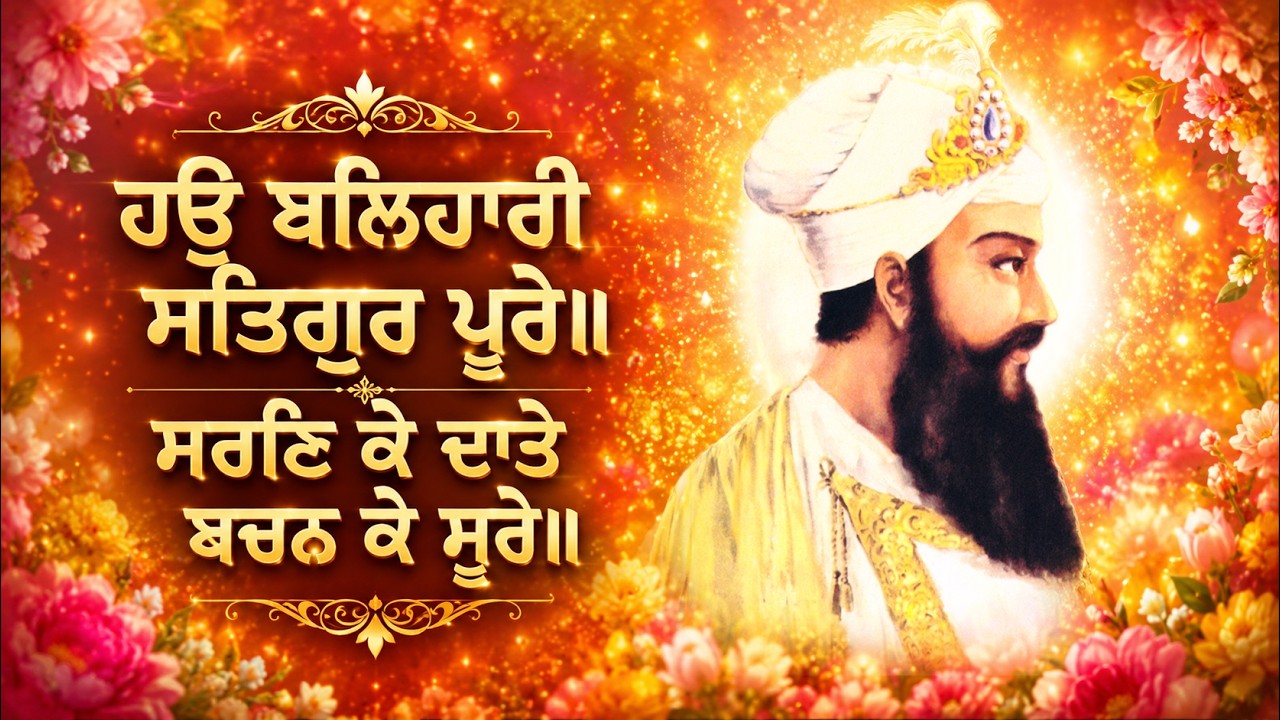
- ਹਉ ਬਲਿਹਾਰੀ ਸਤਿਗੁਰ ਪੂਰੇ॥ ਸਰਣਿ ਕੇ ਦਾਤੇ ਬਚਨ ਕੇ ਸੂਰੇ
Martyrdom - Sri Guru Tegh Bahadur Sahib - ਸ਼ਹਾਦਤ ਭਾਈ ਮਤਿ ਦਾਸ ਜੀ
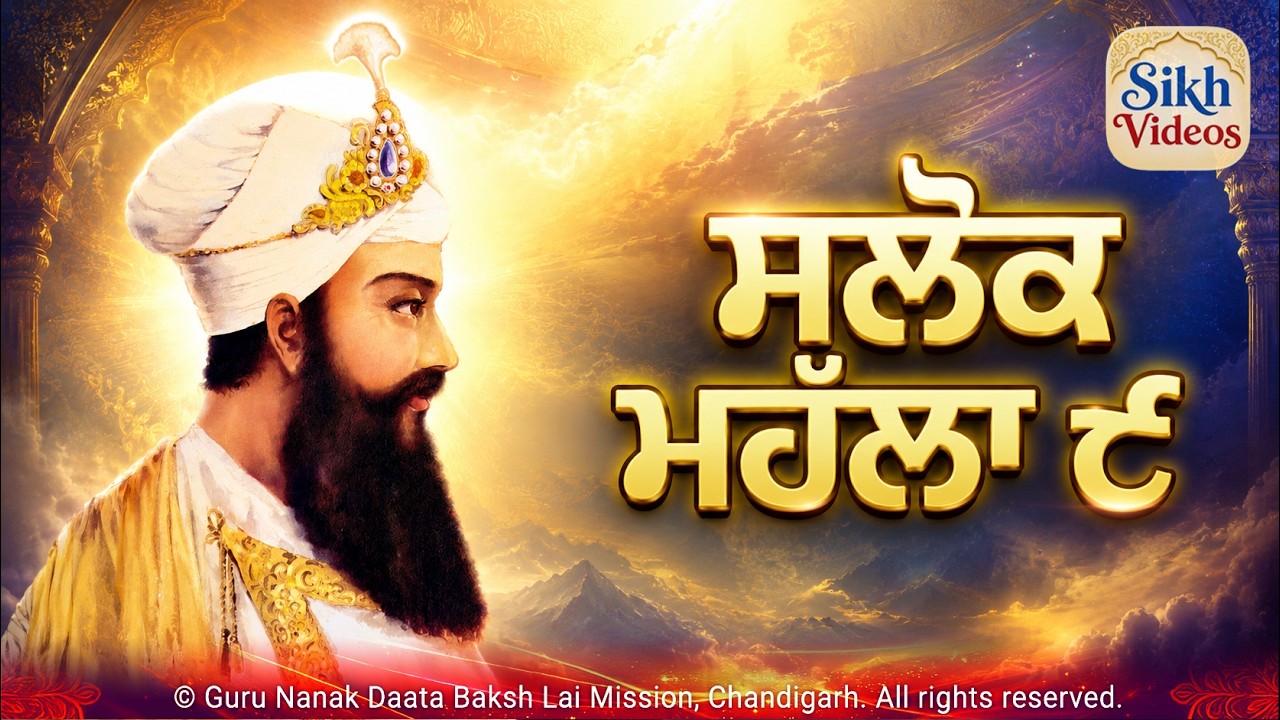
Martyrdom - Bhai Mati Das Ji - ਸਲੋਕ ਮਹੱਲਾ ੯ - ਸੰਗ ਸਖਾ ਸਭਿ ਤਜਿ ਗਏ ਕੋਊ ਨ ਨਿਬਹਿਓ ਸਾਥਿ
Shalok Mahala 9 - Sang Sakha Sab Taj Gaye - ਸ੍ਰੀ ਗੁਰੂ ਤੇਗ ਬਹਾਦਰ ਸਾਹਿਬ ਜੀ ਦਾ 350ਵਾਂ ਸ਼ਹੀਦੀ ਪੁਰਬ
350th Martyrdom Anniversary of Sri Guru Tegh Bahadur Sahib - ਨਾਨਕੁ ਨੀਚੁ ਭਿਖਿਆ ਦਰਿ ਜਾਚੈ ਮੈ ਦੀਜੈ ਨਾਮੁ ਵਡਾਈ ਹੇ
Nanak Neech Bhikhya Dar Jachai Main Deejai Naam Vadai Hey
- ਹਉ ਬਲਿਹਾਰੀ ਸਤਿਗੁਰ ਪੂਰੇ॥ ਸਰਣਿ ਕੇ ਦਾਤੇ ਬਚਨ ਕੇ ਸੂਰੇ
- Mata Gujri Ji, Sahebzadey
- Baba Nand Singh Ji
- ਗੁਰੂ ਗ੍ਰੰਥ ਤੇ ਘੋਲ ਘੁਮਾਇਆ ਅਪਣਾ ਜੀਵਨ ਸਾਰਾ
Guru Granth Te Ghol Ghumaya Apna Jeewan Saara - ਜਨਮ ਮਰਣ ਦੁਹਹੂ ਮਹਿ ਨਾਹੀ ਜਨ ਪਰਉਪਕਾਰੀ ਆਏ
Janam Maran Dohu Main Nahi Jan Paropkari Aaye - ਦਰਵੇਸੀ ਕੋ ਜਾਣਸੀ ਵਿਰਲਾ ਕੋ ਦਰਵੇਸੁ
Darvesi Ko Jansi Virla Ko Darves - ਮਾਇਆ ਦਾਸੀ ਭਗਤਾ ਕੀ ਕਾਰ ਕਮਾਵੈ
Maya Dasi Bhagtan Ki Kar Kamavey - Baba Ji Di Baal Lila (bal leela) Di Ek Jhalak
- ਫਲਗੁਣਿ ਨਿਤ ਸਲਾਹੀਐ ਜਿਸ ਨੋ ਤਿਲੁ ਨ ਤਮਾਇ
Phalgun Nit Salahiye Jis Nu Til Na Tamaye - ਨੂਰ ਪੁਰਬ ਬਾਬਾ ਨੰਦ ਸਿੰਘ ਸਾਹਿਬ
Noor Purab Baba Nand Singh Sahib - ਬਾਬਾ ਨੰਦ ਸਿੰਘ ਜੀ ਮੇਰਾ ਤਾਂ ਸਬ ਕੁਝ ਤੂੰਹੀਓਂ ਤੂੰ
Baba Nand Singh Ji Mera Tan Sab Kujh Tuhion Tu
- ਗੁਰੂ ਗ੍ਰੰਥ ਤੇ ਘੋਲ ਘੁਮਾਇਆ ਅਪਣਾ ਜੀਵਨ ਸਾਰਾ
- All Religions
- Sri Guru Granth Sahib
- Mobile
- Greeting Cards
- Guru Nanak Dev Ji Greetings
- Guru Gobind Singh Ji Gurpurab Greetings
- Guru Amar Das Ji Greeting Cards
- Sri Guru Tegh Bahadur Sahib Greeting Cards
- Baba Nand Singh Sahib Greeting Cards
- Sri Guru Granth Sahib Greeting Cards
- Divine Virtue of Humility Greeting Cards
- Baisakhi Greeting Cards
- Sahibzadey Greeting Cards
- Greetings - Baba Nand Singh Ji
- Videos by Topic:
- Holy Tears (Hanju)
- Baba Nand Singh Ji
- ਗੁਰੂ ਗ੍ਰੰਥ ਤੇ ਘੋਲ ਘੁਮਾਇਆ ਅਪਣਾ ਜੀਵਨ ਸਾਰਾ
Guru Granth Te Ghol Ghumaya Apna Jeewan Saara - ਜਨਮ ਮਰਣ ਦੁਹਹੂ ਮਹਿ ਨਾਹੀ ਜਨ ਪਰਉਪਕਾਰੀ ਆਏ
Janam Maran Dohu Main Nahi Jan Paropkari Aaye - ਦਰਵੇਸੀ ਕੋ ਜਾਣਸੀ ਵਿਰਲਾ ਕੋ ਦਰਵੇਸੁ
Darvesi Ko Jansi Virla Ko Darves - ਮਾਇਆ ਦਾਸੀ ਭਗਤਾ ਕੀ ਕਾਰ ਕਮਾਵੈ
Maya Dasi Bhagtan Ki Kar Kamavey - Baba Ji Di Baal Lila (bal leela) Di Ek Jhalak
- ਫਲਗੁਣਿ ਨਿਤ ਸਲਾਹੀਐ ਜਿਸ ਨੋ ਤਿਲੁ ਨ ਤਮਾਇ
Phalgun Nit Salahiye Jis Nu Til Na Tamaye - ਨੂਰ ਪੁਰਬ ਬਾਬਾ ਨੰਦ ਸਿੰਘ ਸਾਹਿਬ
Noor Purab Baba Nand Singh Sahib - ਬਾਬਾ ਨੰਦ ਸਿੰਘ ਜੀ ਮੇਰਾ ਤਾਂ ਸਬ ਕੁਝ ਤੂੰਹੀਓਂ ਤੂੰ
Baba Nand Singh Ji Mera Tan Sab Kujh Tuhion Tu
- ਗੁਰੂ ਗ੍ਰੰਥ ਤੇ ਘੋਲ ਘੁਮਾਇਆ ਅਪਣਾ ਜੀਵਨ ਸਾਰਾ
- Charan Kamal - Lotus Feet
- Gurpurab
- ਜੋ ਹਮ ਕੋ ਪਰਮੇਸਰ ਉਚਰਿ ਹੈ
Jo Hum Ko Parmesar Uchar Hai - ਨਾਨਕ ਰੁੰਨਾ ਬਾਬਾ ਜਾਣੀਐ ਜੇ ਰੋਵੈ ਲਾਇ ਪਿਆਰੋ
Nanak Runna Baba Janiye Je Rovey Laye Pyaro - ਰੂਹ ਦਰ ਹਰ ਜਿਸਮ ਗੁਰੁ ਗੋਬਿੰਦ ਸਿੰਘ
Rooh Dar Har Jisam Guru Gobind Singh - ਵਾਹੁ ਵਾਹੁ ਸਤਿਗੁਰੁ ਨਿਰੰਕਾਰੁ ਹੈ ਜਿਸੁ ਅੰਤੁ ਨ ਪਾਰਾਵਾਰੁ
Waho Waho Satgur Nirankar Hai - ਸਤਿਗੁਰ ਨਾਨਕ ਪ੍ਰਗਟਿਆ, ਮਿਟੀ ਧੁੰਧ ਜਗ ਚਾਨਣੁ ਹੋਆ
Satguru Nanak Pargateya Miti Dhund Jag Chanan Hoya - ੩੦੦ ਸਾਲ ਹੋਏ ਸਰਬੰਸ ਦੇ ਫੁੱਲਾਂ ਦੀ ਸੇਜ ਤੇ ਗੁਰੂ ਗ੍ਰੰਥ ਦਾ ਆਸਨ ਲਾਇਆ ਏ
300 Saal Hoye Sarbans De Phulan Di Sej Te Guru Granth Da Aasan Laya Hai - ੪੦੦ ਸਾਲ ਹੋਏ ਸਾਡਾ ਚੰਦ ਚੜ੍ਹਿਆ
400 Saal Hoye Sada Chand Chadeya - ਸਤਿਗੁਰ ਪਿਆਰੇ ਅਰਜੁਨ ਨੇ ਇਕ ਨਵਾਂ ਜਹਾਜ ਬਣਾਇਆ ਏ
Satgur Pyare Arjan Ne Ek Nava Jahaj Banaya Hai - ਭਇਆ ਅਨੰਦ ਜਗਤੁ ਵਿਚ ਕਲਿ ਤਾਰਨ ਗੁਰ ਨਾਨਕ ਆਇਆ
Bhaya Anand Jagat Vich Kal Taran Guru Nanak Aaya
- ਜੋ ਹਮ ਕੋ ਪਰਮੇਸਰ ਉਚਰਿ ਹੈ
- Humility - Nimarta
- ਜੋ ਹਮ ਕੋ ਪਰਮੇਸਰ ਉਚਰਿ ਹੈ
Jo Hum Ko Parmesar Uchar Hai - ਨੀਚ ਤੇ ਨੀਚੁ ਅਤਿ ਨੀਚੁ ਹੋਇ ਕਰਿ ਬਿਨਉ ਬੁਲਾਵਉ
Neech Te Neech Att Neech Hoye - ਸਤਿਗੁਰ ਨਾਨਕ ਪ੍ਰਗਟਿਆ, ਮਿਟੀ ਧੁੰਧ ਜਗ ਚਾਨਣੁ ਹੋਆ
Satguru Nanak Pargateya Miti Dhund Jag Chanan Hoya - ਜੁਗਿ ਜੁਗਿ ਸਤਿਗੁਰ ਧਰੇ ਅਵਤਾਰੀ
Yug Yug Satgur Dhare Avtaree - ਨਾਨਕੁ ਨੀਚੁ ਭਿਖਿਆ ਦਰਿ ਜਾਚੈ ਮੈ ਦੀਜੈ ਨਾਮੁ ਵਡਾਈ ਹੇ
Nanak Neech Bhikhya Dar Jachai Main Deejai Naam Vadai Hey
- ਜੋ ਹਮ ਕੋ ਪਰਮੇਸਰ ਉਚਰਿ ਹੈ
- Japji Sahib & Gurbani - Bani
- Martyrdom - Shaheedi
- ੩੦੦ ਸਾਲ ਹੋਏ ਸਰਬੰਸ ਦੇ ਫੁੱਲਾਂ ਦੀ ਸੇਜ ਤੇ ਗੁਰੂ ਗ੍ਰੰਥ ਦਾ ਆਸਨ ਲਾਇਆ ਏ
300 Saal Hoye Sarbans De Phulan Di Sej Te Guru Granth Da Aasan Laya Hai - ਭਾਣੇ ਜੇਵਡ ਹੋਰ ਦਾਤਿ ਨਾਹੀ ਸਚੁ ਆਖਿ ਸੁਣਾਇਆ
Bhane Jevad Hor Daat Nahi - ਸ੍ਰੀ ਹਰਿ ਕ੍ਰਿਸ਼ਨ ਧਿਆਈਐ ਜਿਸ ਡਿਠੈ ਸਭਿ ਦੁਖ ਜਾਇ ॥
Sri HarKrishan Dhiaiyai Jis Dithe Sab Dukh Jaye - ਹਉ ਬਲਿਹਾਰੀ ਸਤਿਗੁਰ ਪੂਰੇ॥ ਸਰਣਿ ਕੇ ਦਾਤੇ ਬਚਨ ਕੇ ਸੂਰੇ
Martyrdom - Sri Guru Tegh Bahadur Sahib - ਸ਼ਹਾਦਤ ਭਾਈ ਮਤਿ ਦਾਸ ਜੀ
Martyrdom - Bhai Mati Das Ji - ਹੇ ਰਵਿ ਹੇ ਸਸਿ ਹੇ ਕਰੁਣਾਨਿਧਿ ਮੇਰੀ ਅਬੈ ਬਿਨਤੀ ਸੁਨ ਲੀਜੈ
Hey Rav Hey Sas Hey Karunanidh - ਸ਼ਸਤ੍ਰਨ ਸੋਂ ਅਤਿ ਹੀ ਰਣਭੀਤਰ ਜੂਝ ਮਰੋਂ ਤਊ ਸਾਚਪਤੀਜੈ
Shastran Sau Att Hi Rann Bheetar, Jhoojh Maro Tau Saach Pateejay - ਸ੍ਰੀ ਗੁਰੂ ਤੇਗ ਬਹਾਦਰ ਸਾਹਿਬ ਜੀ ਦਾ 350ਵਾਂ ਸ਼ਹੀਦੀ ਪੁਰਬ
350th Martyrdom Anniversary of Sri Guru Tegh Bahadur Sahib
- ੩੦੦ ਸਾਲ ਹੋਏ ਸਰਬੰਸ ਦੇ ਫੁੱਲਾਂ ਦੀ ਸੇਜ ਤੇ ਗੁਰੂ ਗ੍ਰੰਥ ਦਾ ਆਸਨ ਲਾਇਆ ਏ
- Naam Simran - Divine Name
- ਵਾਹੁ ਵਾਹੁ ਸਤਿਗੁਰੁ ਨਿਰੰਕਾਰੁ ਹੈ ਜਿਸੁ ਅੰਤੁ ਨ ਪਾਰਾਵਾਰੁ
Waho Waho Satgur Nirankar Hai - ਵਿਚਿ ਬਾਣੀ ਅੰਮ੍ਰਿਤੁ ਸਾਰੇ
Vich Bani Amrit Sare - ੪੦੦ ਸਾਲ ਹੋਏ ਸਾਡਾ ਚੰਦ ਚੜ੍ਹਿਆ
400 Saal Hoye Sada Chand Chadeya - ਸਤਿਗੁਰੁ ਮੇਰਾ ਸਰਬ ਪ੍ਰਤਿਪਾਲੈ ॥ ਸਤਿਗੁਰੁ ਮੇਰਾ ਮਾਰਿ ਜੀਵਾਲੈ ॥
Satgur Mera Sarab PritPalai, Satguru Mera Maar Jeevalain - ਫਲਗੁਣਿ ਨਿਤ ਸਲਾਹੀਐ ਜਿਸ ਨੋ ਤਿਲੁ ਨ ਤਮਾਇ
Phalgun Nit Salahiye Jis Nu Til Na Tamaye - ਸਲੋਕ ਮਹੱਲਾ ੯ - ਸੰਗ ਸਖਾ ਸਭਿ ਤਜਿ ਗਏ ਕੋਊ ਨ ਨਿਬਹਿਓ ਸਾਥਿ
Shalok Mahala 9 - Sang Sakha Sab Taj Gaye
- ਵਾਹੁ ਵਾਹੁ ਸਤਿਗੁਰੁ ਨਿਰੰਕਾਰੁ ਹੈ ਜਿਸੁ ਅੰਤੁ ਨ ਪਾਰਾਵਾਰੁ
- Nirankar - Lord Almighty
- ਜੋ ਹਮ ਕੋ ਪਰਮੇਸਰ ਉਚਰਿ ਹੈ
Jo Hum Ko Parmesar Uchar Hai - ਵਾਹੁ ਵਾਹੁ ਸਤਿਗੁਰੁ ਨਿਰੰਕਾਰੁ ਹੈ ਜਿਸੁ ਅੰਤੁ ਨ ਪਾਰਾਵਾਰੁ
Waho Waho Satgur Nirankar Hai - Dhan Guru Nanak Tuhi Nirankar - 2
- ਸ੍ਰੀ ਹਰਿ ਕ੍ਰਿਸ਼ਨ ਧਿਆਈਐ ਜਿਸ ਡਿਠੈ ਸਭਿ ਦੁਖ ਜਾਇ ॥
Sri HarKrishan Dhiaiyai Jis Dithe Sab Dukh Jaye - ਜੁਗਿ ਜੁਗਿ ਸਤਿਗੁਰ ਧਰੇ ਅਵਤਾਰੀ
Yug Yug Satgur Dhare Avtaree - ਏਕੰਕਾਰੁ ਸਤਿਗੁਰ ਤੇ ਪਾਈਐ ਹਉ ਬਲਿ ਬਲਿ ਗੁਰ ਦਰਸਾਇਣਾ
Ek Onkar Satgur Te Paiyai, Hau Bal Bal Gur Darsayena - ਆਰਤਾ ਬਾਬਾ ਸ੍ਰੀ ਚੰਦ ਜੀ
Aarta - Baba Sri Chand Ji - ਭਇਆ ਅਨੰਦ ਜਗਤੁ ਵਿਚ ਕਲਿ ਤਾਰਨ ਗੁਰ ਨਾਨਕ ਆਇਆ
Bhaya Anand Jagat Vich Kal Taran Guru Nanak Aaya
- ਜੋ ਹਮ ਕੋ ਪਰਮੇਸਰ ਉਚਰਿ ਹੈ
- Prema - True Divine Love
- ਨਾਨਕ ਰੁੰਨਾ ਬਾਬਾ ਜਾਣੀਐ ਜੇ ਰੋਵੈ ਲਾਇ ਪਿਆਰੋ
Nanak Runna Baba Janiye Je Rovey Laye Pyaro - ਤਵ ਚਰਨਨ ਮਨ ਰਹੇ ਹਮਾਰਾ
Tav Charnan Man Rahe Hamara - ੩੦੦ ਸਾਲ ਹੋਏ ਸਰਬੰਸ ਦੇ ਫੁੱਲਾਂ ਦੀ ਸੇਜ ਤੇ ਗੁਰੂ ਗ੍ਰੰਥ ਦਾ ਆਸਨ ਲਾਇਆ ਏ
300 Saal Hoye Sarbans De Phulan Di Sej Te Guru Granth Da Aasan Laya Hai - ਬਾਬਾ ਨੰਦ ਸਿੰਘ ਜੀ ਮੇਰਾ ਤਾਂ ਸਬ ਕੁਝ ਤੂੰਹੀਓਂ ਤੂੰ
Baba Nand Singh Ji Mera Tan Sab Kujh Tuhion Tu
- ਨਾਨਕ ਰੁੰਨਾ ਬਾਬਾ ਜਾਣੀਐ ਜੇ ਰੋਵੈ ਲਾਇ ਪਿਆਰੋ
- Sikh and Guru
- ਤਵ ਚਰਨਨ ਮਨ ਰਹੇ ਹਮਾਰਾ
Tav Charnan Man Rahe Hamara - ਹਮ ਬਾਰਿਕ ਤੁਮ ਪਿਤਾ ਹਮਾਰੇ ਤੁਮ ਮੁਖਿ ਦੇਵਹੁ ਖੀਰਾ
Hum Barik Tum Pita Hamare, Tum Mukh Devo Kheera - ਗੁਰੂ ਗ੍ਰੰਥ ਤੇ ਘੋਲ ਘੁਮਾਇਆ ਅਪਣਾ ਜੀਵਨ ਸਾਰਾ
Guru Granth Te Ghol Ghumaya Apna Jeewan Saara - ਵਿਚਿ ਬਾਣੀ ਅੰਮ੍ਰਿਤੁ ਸਾਰੇ
Vich Bani Amrit Sare - ਗੁਰ ਕੀ ਸੇਵਾ ਗੁਰ ਭਗਤਿ ਹੈ ਵਿਰਲਾ ਪਾਏ ਕੋਇ॥
Gur Ki Sewa Gur Bhagat Hai Virla Pai Koi - ਸਤਿਗੁਰੁ ਸੁਖ ਸਾਗਰੁ ਜਗ ਅੰਤਰਿ ਹੋਰ ਥੈ ਸੁਖੁ ਨਾਹੀ॥
Satgur Sukh Sagar Jag Antar, Hor Thai Sukh Nahi - ਸਤਿਗੁਰੁ ਮੇਰਾ ਸਰਬ ਪ੍ਰਤਿਪਾਲੈ ॥ ਸਤਿਗੁਰੁ ਮੇਰਾ ਮਾਰਿ ਜੀਵਾਲੈ ॥
Satgur Mera Sarab PritPalai, Satguru Mera Maar Jeevalain - ਹੇ ਰਵਿ ਹੇ ਸਸਿ ਹੇ ਕਰੁਣਾਨਿਧਿ ਮੇਰੀ ਅਬੈ ਬਿਨਤੀ ਸੁਨ ਲੀਜੈ
Hey Rav Hey Sas Hey Karunanidh - ਸ਼ਸਤ੍ਰਨ ਸੋਂ ਅਤਿ ਹੀ ਰਣਭੀਤਰ ਜੂਝ ਮਰੋਂ ਤਊ ਸਾਚਪਤੀਜੈ
Shastran Sau Att Hi Rann Bheetar, Jhoojh Maro Tau Saach Pateejay - ਸਲੋਕ ਮਹੱਲਾ ੯ - ਸੰਗ ਸਖਾ ਸਭਿ ਤਜਿ ਗਏ ਕੋਊ ਨ ਨਿਬਹਿਓ ਸਾਥਿ
Shalok Mahala 9 - Sang Sakha Sab Taj Gaye - ਆਰਤਾ ਬਾਬਾ ਸ੍ਰੀ ਚੰਦ ਜੀ
Aarta - Baba Sri Chand Ji
- ਤਵ ਚਰਨਨ ਮਨ ਰਹੇ ਹਮਾਰਾ
- Sikh and Sri Guru Granth Sahib
- Surrender
- ਰੂਹ ਦਰ ਹਰ ਜਿਸਮ ਗੁਰੁ ਗੋਬਿੰਦ ਸਿੰਘ
Rooh Dar Har Jisam Guru Gobind Singh - ੩੦੦ ਸਾਲ ਹੋਏ ਸਰਬੰਸ ਦੇ ਫੁੱਲਾਂ ਦੀ ਸੇਜ ਤੇ ਗੁਰੂ ਗ੍ਰੰਥ ਦਾ ਆਸਨ ਲਾਇਆ ਏ
300 Saal Hoye Sarbans De Phulan Di Sej Te Guru Granth Da Aasan Laya Hai - ਹੇ ਰਵਿ ਹੇ ਸਸਿ ਹੇ ਕਰੁਣਾਨਿਧਿ ਮੇਰੀ ਅਬੈ ਬਿਨਤੀ ਸੁਨ ਲੀਜੈ
Hey Rav Hey Sas Hey Karunanidh - ਸ਼ਸਤ੍ਰਨ ਸੋਂ ਅਤਿ ਹੀ ਰਣਭੀਤਰ ਜੂਝ ਮਰੋਂ ਤਊ ਸਾਚਪਤੀਜੈ
Shastran Sau Att Hi Rann Bheetar, Jhoojh Maro Tau Saach Pateejay
- ਰੂਹ ਦਰ ਹਰ ਜਿਸਮ ਗੁਰੁ ਗੋਬਿੰਦ ਸਿੰਘ
- YouTube
- About The Mission


Home > Videos on Guru Tegh Bahadur Sahib > 350th Martyrdom Anniversary of Sri Guru Tegh Bahadur Sahib
ਸ੍ਰੀ ਗੁਰੂ ਤੇਗ ਬਹਾਦਰ ਸਾਹਿਬ ਜੀ ਦਾ 350ਵਾਂ ਸ਼ਹੀਦੀ ਪੁਰਬ - 350th Martyrdom Anniversary of Sri Guru Tegh Bahadur Sahib
ਸ੍ਰੀ ਗੁਰੂ ਤੇਗ ਬਹਾਦਰ ਸਾਹਿਬ ਜੀ ਦਾ 350ਵਾਂ ਸ਼ਹੀਦੀ ਪੁਰਬ
350th Martyrdom Anniversary of Sri Guru Tegh Bahadur Sahib
Humble Homage on The Martyrdom (Shaheedi Gurpurab) of Sri Guru Tegh Bahadur Sahib.
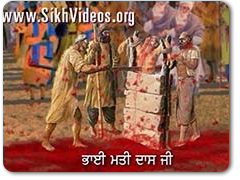
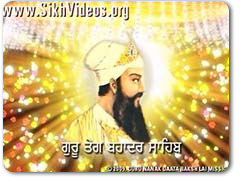
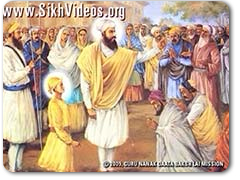
When the Almighty manifests himself in human form, he takes the whole human race in His loving Embrace. This God like warmth of the Divine Incarnate flows out to the whole creation and yearns for universal welfare and redemption. This Nectar of Grace and Love flowed from the Beneficient, All Loving Guru Tegh Bahadur (Guru Nanak - The Ninth) to 500 Pandits of Kashmir and through them to a whole religion, a whole nation. Sri Guru Tegh Bahadur Sahib's sacrifice for the pandits of Kashmir has to be viewed in this background and context. He, being the Jagat Guru, belongs to all, the whole universe. The love and mercy of a Prophet, a Messiah, a Jagat Guru is impartial, it knows no difference. It showers like rain on all alike.
Permalink 1: 350th Martyrdom Anniversary of Sri Guru Tegh Bahadur Sahib
Clips in this Video


Related Video Titles
Continue the same spiritual journey with more video selections connected to Guru Tegh Bahadur Sahib.
Related Content
Explore other Holy writings, quotes of Babaji that deepen the message of this video.
About the Mission
Step into the wider seva, history and living spirit behind Guru Nanak Daata Baksh Lai Mission.